Compare · 13 plugins · checked 23 November 2026
The best WordPress live chat plugins, compared
Thirteen ways to put live chat on a WordPress site, side by side: where the chats are stored, what the free plan includes, what each agent costs, how any AI is billed, and whether your team gets a phone app.
- 13 plugins compared
- 4 run inside WordPress
- 9 hosted services
- Facts and prices from each vendor’s own pages and wordpress.org. Sources

We make Sales Igniter Chat, one of the thirteen plugins here. It’s described with the same kind of facts as the others, and the picks below say where another plugin suits you better. Everything about the other plugins comes from their own pricing pages, help docs and wordpress.org listings, with every link under Sources.
Quick picks
In short: the best WordPress live chat plugin for each job
- Live chat and an AI chatbot in one plugin, with the chats in your WordPress database and no per-seat feesSales Igniter Chat (ours)
- Free human live chat with unlimited agents, hostedtawk.to · hosted
- Free live chat that never leaves WordPress, with no AIRapidChat · runs in WordPress
- A polished hosted inbox with AI and people togetherTidio · hosted
- One inbox for email, messaging apps and website chat, hosted in the EUCrisp · hosted
- A free start with phone apps, and AI billed only when it resolves a chatChatway · hosted
- A bigger team that wants desktop apps and budgets per seatLiveChat · hosted
- Chats tied to the HubSpot CRMHubSpot · hosted
- Chat next to your business phone system3CX Live Chat · hosted
Two kinds of WordPress live chat plugin
The biggest difference is where your conversations end up, and where your team answers them.
Live chat plugins that run inside WordPress
The chats are saved in your WordPress database, and a person answers from wp-admin or from Slack. If the plugin has an AI chatbot, the AI company still sees each message it answers.
Side by side
WordPress live chat plugins compared
List prices in US$, billed monthly unless marked. “Per agent” means each person who answers chats is a paid seat.
| Plugin | Where chats are stored | Free plan | Price per agent or plan (checked Nov 2026) | AI and how it’s billed | Phone app for your team |
|---|---|---|---|---|---|
| Sales Igniter Chat (ours)Runs in WordPressNot on wordpress.org: sold on rentalbookingsoftware.com | Your WordPress database | No free plan | No seat fees: every operator included. $99 the first year for 1 site, then $59 a year | AI chatbot built in, on your own AI key: your provider’s token price, no per-chat fee from us | No store app: Web Push to phones and a full-screen inbox in its own browser tab |
| RapidChatRuns in WordPresswordpress.org: 1,000+ installs, updated Nov 2026 | Your WordPress database (shared files in uploads) | Free plugin: chat widget and a live inbox | No seat price: any user you allow can answer | No AI chatbot listed | None listed |
| MxChatRuns in WordPresswordpress.org: 2,000+ installs, updated Nov 2026 | Your WordPress database | Free AI chatbot on your own key. The Slack hand-off may need Pro | Not per seat: Pro $69.97 one-time for 1 site | Your own key (OpenAI, Claude, Gemini, OpenRouter and more), no fee per conversation | None: a person answers in Slack |
| WPBot (ChatBot for WordPress)Runs in WordPresswordpress.org: 5,000+ installs, updated Nov 2026 | Your WordPress database | Free bot, but no live chat with a person | Not per seat: human chat only on Master, $189 a year (5 sites) | Menus and FAQ without AI, or your own key (Dialogflow, Gemini, OpenRouter, or OpenAI in Pro) | None stated: a person answers in Slack |
| tawk.toHosted servicewordpress.org: 100,000+ installs, updated Jan 2026, tested up to WordPress 6.9 | tawk.to’s servers (Google Cloud, in the US) | Free live chat, unlimited agents, branding stays | Free, no seat price. Remove branding: $29 a month | AI Assist credits, 3 a reply on the default model: 100 free a month, Growth $29 for 1,000 | Yes: free iOS and Android apps |
| TidioHosted servicewordpress.org: 70,000+ installs, updated Sep 2026 | Tidio’s servers (mainly in the EEA, some data in the US) | 10 seats, 50 conversations a month, 50 AI conversations once | Not per seat (up to 10): Starter $29 a month for 100 conversations | Lyro, inside the plan’s conversation limit: Starter with Lyro $39 a month (50 conversations) | Yes: mobile and desktop apps, every plan |
| LiveChatHosted servicewordpress.org: 10,000+ installs, updated May 2026, tested up to WordPress 6.9 | LiveChat’s servers: Google Cloud in the US and the EU | No free plan: a 14-day trial | Per user: Essential $25 a month ($19 billed yearly) | AI Agent billed by resolutions: 10 a month on Essential, then $49.50 per 50 | Yes: iOS, Android, Windows and Mac |
| CrispHosted servicewordpress.org: 10,000+ installs, updated Oct 2026 | Crisp’s servers in the EU (messages in the Netherlands) | 2 seats, widget, shared inbox and phone apps. No AI | Per workspace: Mini $45 a month (4 seats), Essentials $95 (10) | Hugo, paid with AI credits in the plan: $5 a month on Mini, $25 on Essentials | Yes: iOS and Android, Free included |
| ChatwayHosted servicewordpress.org: 30,000+ installs, updated Nov 2026 | Chatway’s servers (region not stated) | 1 seat, 50 conversations a month, 30 days of history | Business $39 a month for 2 seats, extra seats $19 | AI Support Agent: $0.50 per resolved conversation (first 10 free), on any plan | Yes: iOS and Android, Free included |
| SmartsuppHosted servicewordpress.org: 20,000+ installs, updated Oct 2026 | Smartsupp’s servers (mainly in the EU) | 1 operator, 25 conversations a month, 14-day history | Solo $24 a month (1 operator), Plus $35 (3 operators) | AI agent add-on from $19 a month, plus reply suggestions in paid plans | Yes: iPhone and iPad, Android and Windows |
| HubSpotHosted servicewordpress.org: 200,000+ installs, updated Nov 2026, tested up to WordPress 6.9 | HubSpot’s servers, in the HubSpot CRM | Free live chat and simple bots for up to 2 users, with HubSpot branding | Per seat: Service Hub Starter $20 a month ($7 billed yearly) | Customer Agent on Professional and up: $0.50 per resolved conversation | Yes: the HubSpot mobile app, and replies from Slack |
| 3CX Live ChatHosted servicewordpress.org: 100,000+ installs, updated Oct 2026 | In your 3CX system (where is not stated) | Free plugin. 3CX Free covers up to 10 users | No per-agent chat price: 3CX systems are licensed per system | No AI chatbot listed | Yes: 3CX mobile and desktop apps |
| ZendeskHosted serviceNo current plugin on wordpress.org: you paste its widget snippet | Zendesk’s servers (choosing the region was an add-on on 17 Nov) | No free plan: a 14-day trial | Per agent: Suite Team $55 a month, billed yearly | AI agents billed per automated resolution, above a small allowance per seat | Yes: iOS and Android agent apps |
4 plugins · chats in your database
Live chat plugins that run inside WordPress
The chats are saved in your WordPress database, and a person answers from wp-admin or from Slack. If the plugin has an AI chatbot, the AI company still sees each message it answers.

Sales Igniter Chat We make this one
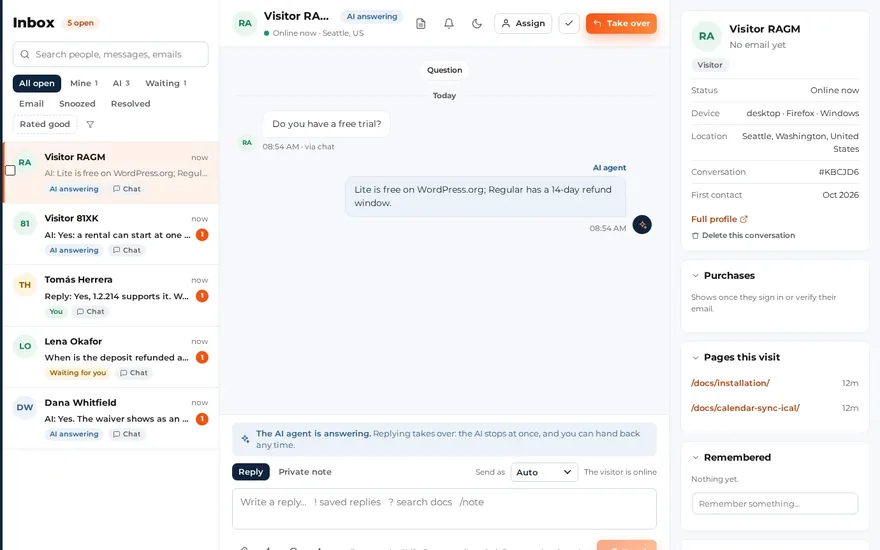
Best for: WordPress sites that want live chat with a person and an AI chatbot together, with the chats in their own database and no per-seat fees.
Live chat and an AI chatbot in one WordPress plugin. Your team answers from a shared inbox in wp-admin, the AI answers from your own pages, and a reply the visitor missed goes out by email.
- Chats storedYour WordPress database
- A person answersAn inbox in wp-admin
- Free planNo free plan
- Paid$99 the first year, then $59 a year
- AIBuilt in, your own AI key
- Where chats are stored
- Conversations, contacts and the AI’s index stay in the plugin’s own tables in your WordPress database. When the AI answers, the conversation goes to the AI provider you chose, by default only to hosts that keep no data, with emails and phone numbers hidden.
- Where a person answers
- A shared inbox in wp-admin: assign, resolve, snooze, saved replies and private notes. A person takes over from the AI with one reply.
- Free plan
- No free plan.
- Paid (checked Nov 2026)
- 1 site (live + staging): $99 the first year, then $59 a year. 10 sites: $299, then $149 a year. Every operator included, no per-seat fees.
- AI
- The AI Chatbot runs on your own key from OpenRouter, Anthropic, OpenAI, Google or any OpenAI-compatible service, at your provider’s token price. A monthly budget (US$20 by default) stops AI answers when it’s reached. Without a key, chats go to people and email.
- Phone app
- No app to install from a store. Operators get Web Push on Android, and on iPhone and iPad (iOS 16.4+) from the Home Screen, and the inbox opens as a full-screen app in its own browser tab.
- Watch out for
- There is no free plan, and the AI needs a key from an AI provider, which you pay directly.
- Pick another plugin if
- You want a free plan (tawk.to, RapidChat or Chatway’s free tier), agent apps from the app stores (Crisp, Tidio, Chatway and others), or chats tied to the HubSpot CRM (HubSpot).
RapidChat
Best for: Sites that want free, human-only live chat inside WordPress, with no outside service at all.
A free live chat plugin from Softaculous. Operators answer from a Live Inbox in wp-admin that has four views (queued, mine, unread, closed), private notes and canned responses.
- Chats storedYour WordPress database
- A person answersA live inbox in wp-admin
- Free planFree plugin
- PaidPro add-on, price not listed
- AINo AI listed
- Where chats are stored
- Chats, visitor names, emails, IP addresses and shared files stay in your WordPress database and uploads folder, and work with WordPress’s Export and Erase Personal Data tools. A country lookup through ipbase.com is off by default.
- Where a person answers
- The Live Inbox in wp-admin. It checks for new messages by polling, so no WebSocket server is needed.
- Free plan
- Free. Any WordPress user with RapidChat’s operator permission can answer, so there is no seat limit.
- Paid (checked Nov 2026)
- Softaculous sells a Pro add-on with extra team features, but its price isn’t on the wordpress.org listing.
- AI
- No AI chatbot is listed.
- Phone app
- No phone app is listed.
- Watch out for
- It is new and small: 1,000+ installs and 2 ratings on wordpress.org, and no screenshots on its listing.
MxChat
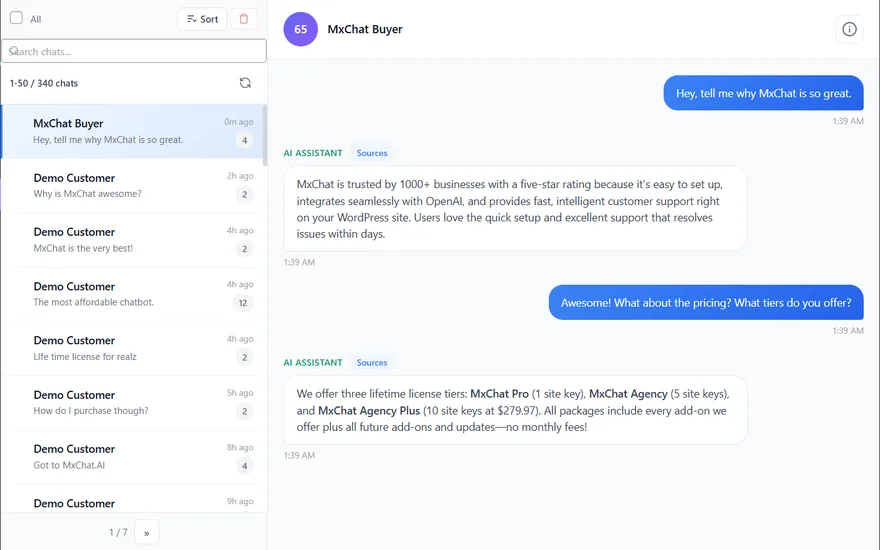
Best for: Sites that mainly want an AI chatbot and are happy for a person to step in from Slack.
An AI chatbot plugin that answers from your own content. Its live chat is a hand-off: when a visitor needs a person, the conversation goes to your team in Slack.
- Chats storedYour WordPress database
- A person answersIn Slack
- Free planFree plugin, your own key
- PaidPro $69.97 one-time, 1 site
- AIYour own AI key
- Where chats are stored
- All conversation data is stored on your WordPress site, its FAQ says. When the AI answers, the message goes to the AI provider you chose.
- Where a person answers
- Slack. There is no inbox in wp-admin where an operator chats with the visitor. The transcripts screen is for reading.
- Free plan
- The plugin is free with your own AI key. The wordpress.org readme lists the Slack hand-off as a feature, while mxchat.ai lists Live Agent Handoff as a Pro add-on, so check which you need.
- Paid (checked Nov 2026)
- MxChat Pro: $69.97 for 1 site, shown on mxchat.ai as a one-time price with lifetime updates and every add-on (one line on the same page says per year, so check at checkout). Agency $174.97.
- AI
- Your own key from OpenAI, Anthropic (Claude), Google (Gemini), xAI (Grok), DeepSeek or OpenRouter. No per-conversation fee from MxChat.
- Phone app
- No agent app: the person answers in Slack.
- Watch out for
- The person replies from Slack, not from WordPress, and which plan includes the hand-off isn’t clear.
WPBot (ChatBot for WordPress)
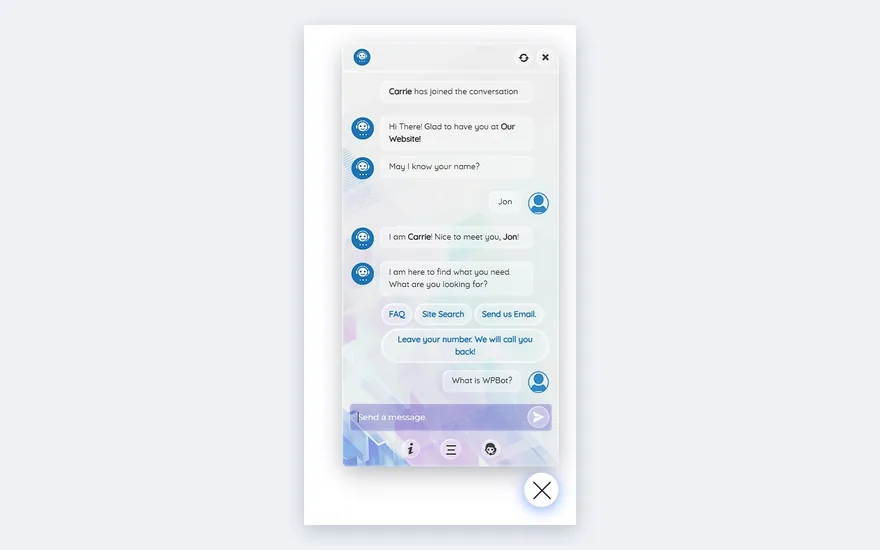
Best for: Sites that want a rules-based bot first, with an occasional hand-off to a person in Slack.
A chatbot that works without AI (menus, FAQ, site search) or with your own AI key. A person can join the chat only on the Master plan, through Slack.
- Chats storedYour WordPress database
- A person answersIn Slack, on Master
- Free planFree bot, no live chat
- PaidMaster $189 a year
- AIOptional, your own key
- Where chats are stored
- Everything is stored in your WordPress database, its FAQ says.
- Where a person answers
- Slack, with the Master plan’s Live (Human) Chat with Slack.
- Free plan
- The free version has no live chat: visitors can leave a message, email you or ask for a call back.
- Paid (checked Nov 2026)
- Yearly: Starter $39 (1 site), Professional $99 (2 sites), Master $189 (5 sites). Lifetime: $149, $279 and $369. Only Master lists Live (Human) Chat with Slack.
- AI
- Menus and FAQ work without any AI. For AI answers, your own key: Dialogflow, Gemini and OpenRouter, with OpenAI and others in Pro. No per-conversation fee.
- Phone app
- No agent app is stated.
- Watch out for
- Live chat with a person needs the Master plan and runs through Slack.
9 services · chats on their servers
Hosted live chat services with a WordPress plugin
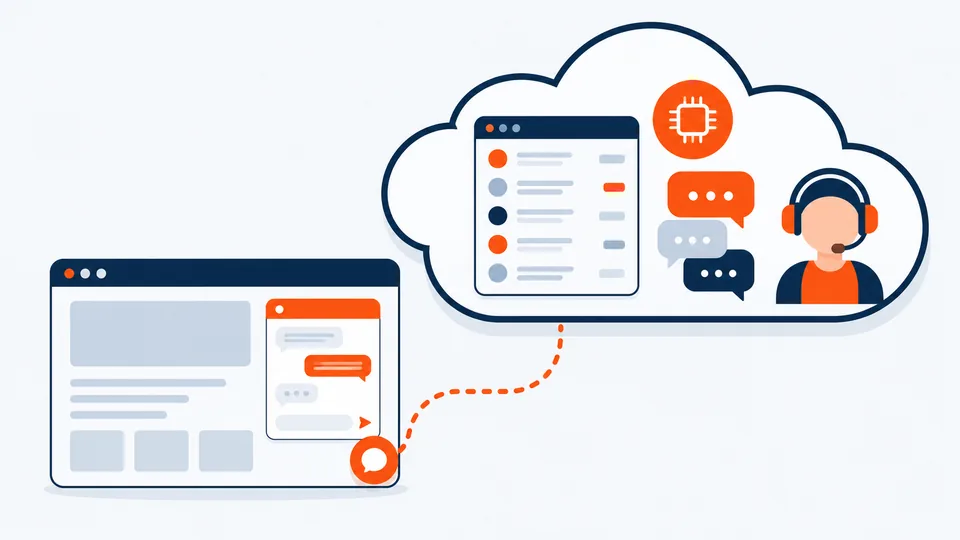
The WordPress plugin adds the chat widget to your site. The inbox, the chats and any AI live on the vendor’s servers, and your team answers in the vendor’s apps.
tawk.to
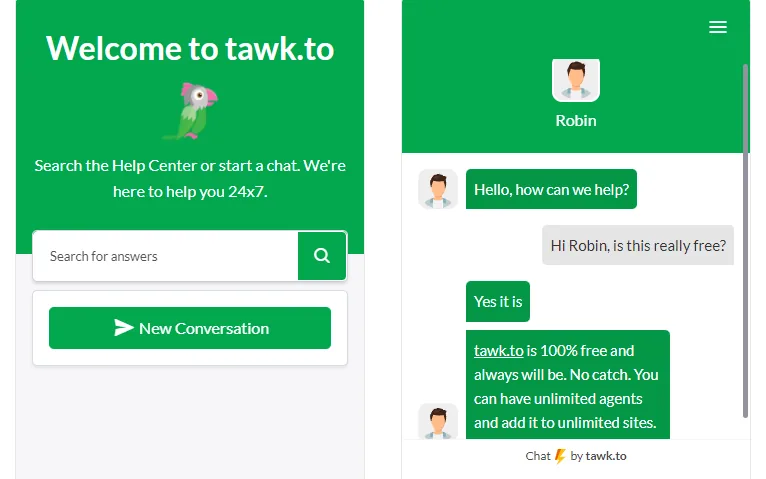
Best for: Free human live chat with as many agents as you like, if branding and hosted chats are fine.
A free hosted live chat, with ticketing, a knowledge base and a CRM. The WordPress plugin adds the tawk.to widget to your site.
- Chats storedtawk.to’s servers, US
- A person answersIts web app and phone apps
- Free planFree, unlimited agents
- PaidBranding removal $29 a month
- AICredits: 100 free a month
- Where chats are stored
- On tawk.to’s servers, not in WordPress: Google Cloud data centres in the United States, its help centre says.
- Where a person answers
- The tawk.to dashboard on the web, and its iOS and Android apps.
- Free plan
- Live chat, ticketing, a knowledge base and a CRM are free with unlimited agents. "Powered by tawk.to" stays unless you pay $29 a month to remove it. AI Assist’s free Hobby plan has 100 message credits a month, about 33 AI replies.
- Paid (checked Nov 2026)
- AI Assist: Growth $29 a month ($290 a year) for 1,000 credits, Business $99 for 5,000, Enterprise $399 for 20,000. Extra credits are $30 per 1,000. Hired human agents: $1 an hour.
- AI
- AI Assist, run by tawk.to, billed in message credits per reply: 3 credits a reply on its default Auto model.
- Phone app
- Free iOS and Android apps.
- Watch out for
- The WordPress plugin was last updated in January 2026 and is tested up to WordPress 6.9.
tawk.to compared with Sales Igniter Chattawk.to pricing explained
Tidio
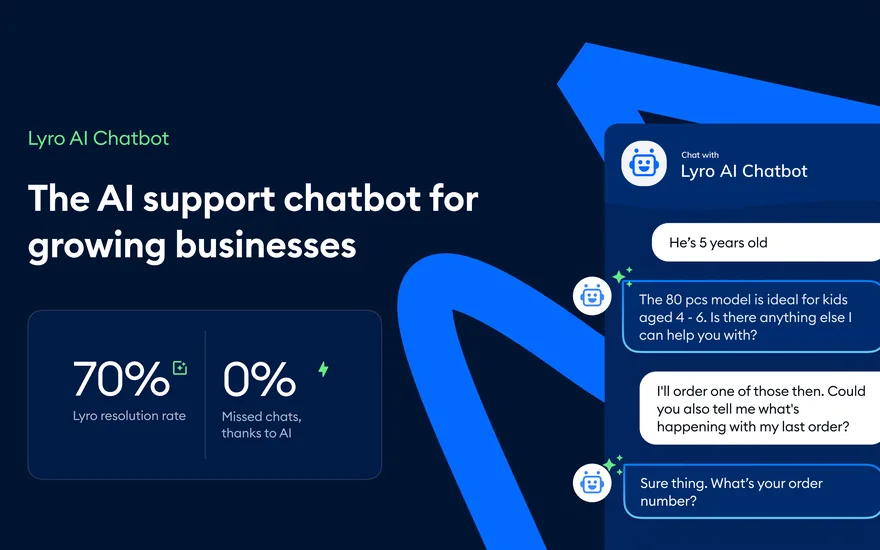
Best for: Stores and small teams that want a polished hosted inbox with AI and people in one place.
A hosted live chat, help desk and AI agent (Lyro). The WordPress plugin connects your site to a Tidio account and shows its chat widget.
- Chats storedTidio’s servers, mainly EEA
- A person answersIts inbox and apps
- Free plan50 conversations a month
- PaidStarter $29 a month
- AILyro, in the plan’s limit
- Where chats are stored
- On Tidio’s servers, not in WordPress. Tidio’s privacy policy says it mainly processes data in the EEA, and some data may be transferred to the United States.
- Where a person answers
- Tidio’s inbox on the web, plus its mobile and desktop apps.
- Free plan
- 10 seats and 50 conversations a month, and the first 50 Lyro AI conversations are free once, not every month. Tidio branding stays (removing it is a $20 a month add-on).
- Paid (checked Nov 2026)
- Priced by conversations, with up to 10 seats. Human only: Starter $29 a month for 100 conversations, Growth from $49 for 200. With Lyro: Starter $39 a month for 50 AI and human conversations, Growth from $75 for 100.
- AI
- Lyro, run by Tidio, with no own key. AI and human conversations share the plan’s monthly limit.
- Phone app
- Mobile and desktop apps on every plan, Free included.
- Watch out for
- Human and Lyro conversations count toward the same limit, and the free AI allowance comes once.
Tidio compared with Sales Igniter ChatTidio pricing explained
LiveChat
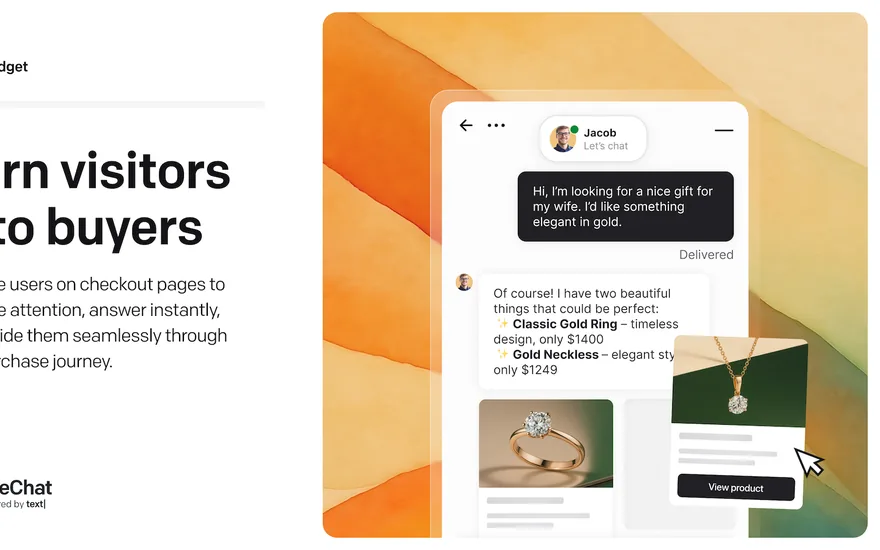
Best for: Sales and support teams that want a mature hosted chat with desktop and phone apps, and budget per seat.
A hosted live chat for sales and support teams, now sold to new customers under the Text name. The WordPress plugin adds the LiveChat widget and needs a LiveChat account.
- Chats storedLiveChat’s servers, US and EU
- A person answersIts apps, desktop and phone
- Free planTrial only
- Paid$25 a user a month
- AIBilled by resolutions
- Where chats are stored
- On LiveChat’s servers, not in WordPress: Google Cloud in the United States and the EU (Frankfurt), its security page says.
- Where a person answers
- The LiveChat web app, Windows and Mac desktop apps, and iOS and Android apps.
- Free plan
- No free plan: a 14-day free trial, no card needed.
- Paid (checked Nov 2026)
- Per user: Essential $25 a month ($19 billed yearly), Growth $99 a month ($79 yearly). Enterprise is priced on request. Unlimited chat history is on Growth only.
- AI
- The AI Agent is billed by resolutions, a chat the AI solves on its own: Essential includes 10 a month and Growth 200, then $49.50 per 50 more.
- Phone app
- Web, Windows, Mac, iOS and Android apps.
- Watch out for
- Every operator is a paid seat, and Essential includes only 10 AI resolutions a month.
LiveChat compared with Sales Igniter ChatLiveChat pricing explained
Crisp
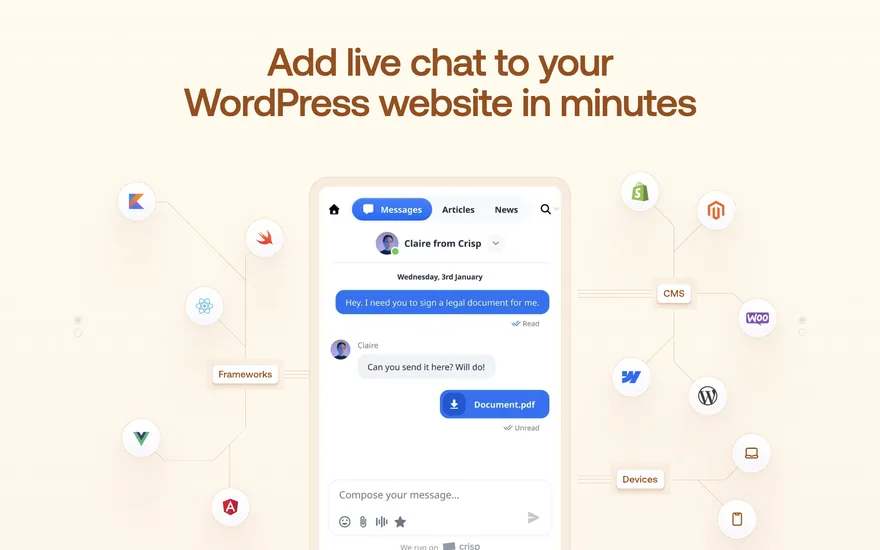
Best for: Small teams that want one inbox for email, messaging apps and website chat, with data hosted in Europe.
A hosted support suite: a chat widget, shared inbox, AI agent (Hugo), knowledge base and CRM. The WordPress plugin adds the Crisp widget.
- Chats storedCrisp’s servers, EU
- A person answersIts inbox and phone apps
- Free plan2 seats, no AI
- PaidMini $45 a month, 4 seats
- AICredits in the plan
- Where chats are stored
- On Crisp’s servers, not in WordPress. Crisp says messaging data is stored in the Netherlands, plugin data in Germany and everything else on servers in the EU.
- Where a person answers
- The Crisp inbox on the web, and its iOS and Android apps.
- Free plan
- 2 seats, the website widget, a shared inbox, the phone apps, a contact form and 100 customer profiles. No AI credits.
- Paid (checked Nov 2026)
- A flat price per workspace with seats included: Mini $45 a month (4 seats), Essentials $95 (10), Plus $295 (20). Extra agents are $10 a month.
- AI
- Hugo, run by Crisp, uses AI credits included in the plan: $5 a month on Mini, $25 on Essentials, $75 on Plus, and more are pay as you go. When credits run out, Hugo hands over to a person.
- Phone app
- iOS and Android apps, on Free too.
- Watch out for
- AI credits run out ($5 a month on Mini), and Free stops at 2 seats and 100 customer profiles.
Crisp compared with Sales Igniter ChatCrisp pricing explained
Chatway
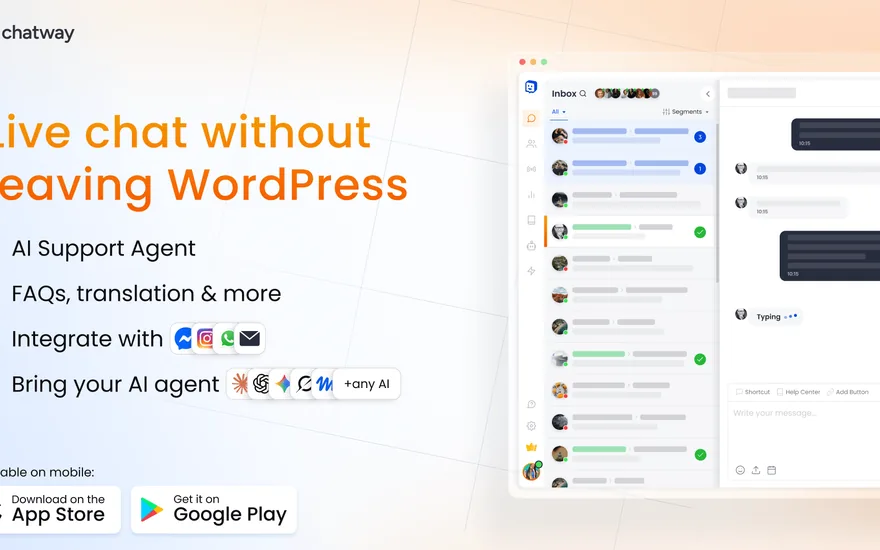
Best for: Small sites that want a free start with phone apps, and AI they pay for only when it resolves a chat.
A hosted live chat with an AI support agent, plus FAQs and chat buttons. The WordPress plugin connects your site to a Chatway account.
- Chats storedChatway’s servers
- A person answersIts web app and phone apps
- Free plan1 seat, 50 a month
- PaidBusiness $39 a month
- AI$0.50 per resolved chat
- Where chats are stored
- On Chatway’s servers, not in WordPress. Its pricing page and privacy policy don’t say which country the chats are stored in.
- Where a person answers
- The Chatway web app, and its iOS and Android apps.
- Free plan
- Free forever: 1 seat, 50 conversations a month and 30 days of chat history, with the phone apps. Chatway branding stays.
- Paid (checked Nov 2026)
- Business $39 a month ($31 billed yearly) for 2 seats and 200 conversations a month, extra seats $19 ($16 yearly). Plus is $199 ($159 yearly) for 10 seats and 1,000 conversations.
- AI
- The AI Support Agent costs $0.50 per resolved conversation after the first 10, on any plan, Free included, and hands over to your team. You can also connect your own AI through its API, webhooks or MCP.
- Phone app
- iOS and Android apps, on Free too.
- Watch out for
- Its pages don’t say where chats are stored, and the free plan keeps 30 days of history.
Smartsupp
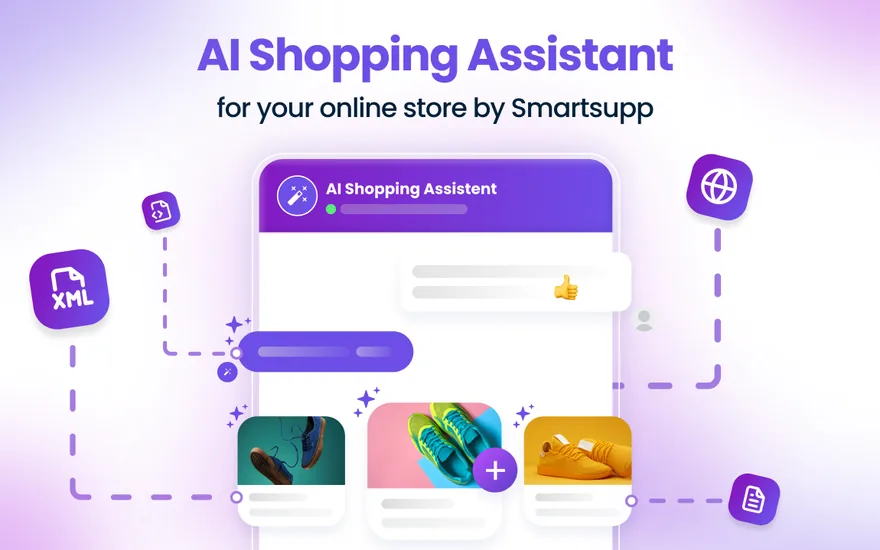
Best for: Online stores with a small team that want live chat and a shopping assistant.
A hosted live chat with an AI shopping assistant for online stores. The WordPress plugin connects your site to a Smartsupp account.
- Chats storedSmartsupp’s servers, mainly EU
- A person answersIts dashboard and apps
- Free plan1 operator, 25 a month
- PaidSolo $24 a month
- AIAdd-on from $19 a month
- Where chats are stored
- On Smartsupp’s servers, not in WordPress. Its help centre says data is stored mainly in the EU, with some in the US and other countries.
- Where a person answers
- The Smartsupp dashboard on the web, and its apps for iPhone and iPad, Android and Windows.
- Free plan
- 1 operator, 25 conversations a month and a 14-day history, with live chat plus WhatsApp, Messenger and Instagram. No AI agent on Free.
- Paid (checked Nov 2026)
- Solo $24 a month ($17 billed yearly) for 1 operator and unlimited conversations. Plus at $35 ($25 yearly) covers 3 operators, and Expert at $117 ($83 yearly) covers 5 or more. Extra operators cost from $24 a month.
- AI
- The AI agent is an add-on from $19 a month. Paid plans include AI reply suggestions for operators: 50 a month on Solo, 250 on Plus, 500 on Expert.
- Phone app
- Apps for iPhone and iPad, Android and Windows.
- Watch out for
- The free plan stops at 25 conversations a month, and the AI agent costs extra.
HubSpot
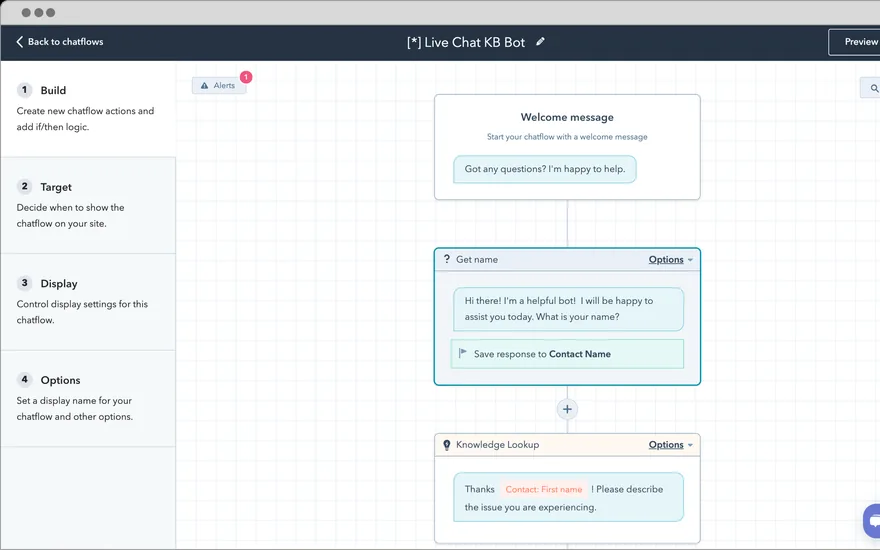
Best for: Teams that already run their sales and marketing on the HubSpot CRM.
HubSpot’s all-in-one WordPress plugin adds forms, pop-ups, live chat and the HubSpot CRM. Chats land in HubSpot’s conversations inbox.
- Chats storedHubSpot’s servers
- A person answersIts inbox, app or Slack
- Free plan2 users, with branding
- PaidStarter $20 a seat a month, $7 yearly
- AI$0.50 per resolution
- Where chats are stored
- On HubSpot’s servers, in the HubSpot CRM, not in WordPress.
- Where a person answers
- HubSpot’s conversations inbox on the web, the HubSpot mobile app, or Slack.
- Free plan
- Free live chat and simple bots on HubSpot’s free tools, for up to 2 users, with HubSpot branding. No AI agent.
- Paid (checked Nov 2026)
- Service Hub Starter $20 a seat a month, or $7 a seat a month billed yearly (removes the branding). Professional is $100 a seat a month on a yearly commitment ($90 billed yearly), plus a $1,500 one-time onboarding. Enterprise starts at $150 a seat a month plus $3,500 onboarding.
- AI
- Customer Agent, HubSpot’s AI agent, needs Professional or Enterprise and costs $0.50 per resolved conversation, paid in HubSpot Credits (Professional includes 3,000 credits a month).
- Phone app
- The HubSpot mobile app, and replies from Slack.
- Watch out for
- AI answers need a Professional seat plus onboarding, then $0.50 for each resolved conversation.
3CX Live Chat
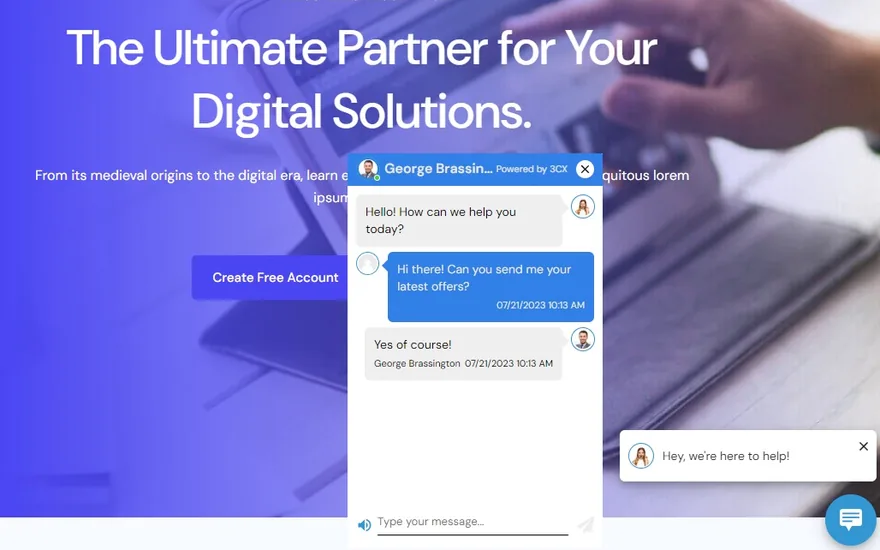
Best for: Businesses that use, or want, the 3CX phone system, so chats and calls share one place.
Live chat, calls and messaging from the 3CX business phone system. The free WordPress plugin adds the chat to your site, and agents answer in 3CX.
- Chats storedYour 3CX system
- A person answersThe 3CX apps
- Free planUp to 10 users
- PaidLicensed per system
- AINo AI listed
- Where chats are stored
- In your 3CX account, not in WordPress. 3CX’s live chat page doesn’t say where chats are stored.
- Where a person answers
- The 3CX web client, and 3CX’s mobile and desktop apps.
- Free plan
- The plugin is free and needs a 3CX account. 3CX Free limits live chat to 10 users. A paid 3CX system (hosted or your own) includes live chat for unlimited users.
- Paid (checked Nov 2026)
- The phone system is licensed per system, not per agent: up to 80 users with 16 simultaneous calls starts at $600 a year.
- AI
- No AI chatbot is listed on the 3CX live chat page.
- Phone app
- Mobile and desktop apps.
- Watch out for
- You need a 3CX account even with the free plugin, and 3CX doesn’t say where chats are stored.
Zendesk
Best for: Larger support teams that need tickets, voice and messaging in one suite and already budget per agent.
A hosted customer service suite. Messaging and live chat start on Suite Team. There is no current Zendesk messaging plugin for WordPress: you paste Zendesk’s Web Widget snippet into your site.
- Chats storedZendesk’s servers
- A person answersAgent Workspace and apps
- Free planTrial only
- Paid$55 an agent a month, yearly
- AIPer resolution
- Where chats are stored
- On Zendesk’s servers, not in WordPress. Picking the data centre region (US, EEA, UK, Japan or Australia) was the Data Center Location add-on in Zendesk’s help when we checked on 17 November.
- Where a person answers
- Zendesk’s Agent Workspace on the web, and its mobile apps.
- Free plan
- No free plan: a 14-day trial.
- Paid (checked Nov 2026)
- Per agent, billed yearly: Suite Team $55 a month (messaging and live chat start here), Suite Professional $115. Monthly billing costs more (Suite Team was $69 and Suite Professional $149 when we checked on 17 November).
- AI
- AI agents are billed per automated resolution, on top of a small allowance that comes with each seat.
- Phone app
- Zendesk Support apps for iOS and Android, with messaging.
- Watch out for
- There’s no current WordPress plugin: the old Zendesk plugins on wordpress.org were last updated in 2020 and 2023.
Free plans
Free WordPress live chat plugins: what you really get
Most WordPress chat plugins are free to install. The limits sit in the free plan behind them: seats, conversations a month, how long the history is kept, and whose branding the widget shows.

tawk.toFree, unlimited agents
Live chat, ticketing, a knowledge base and a CRM are free with unlimited agents. "Powered by tawk.to" stays unless you pay $29 a month to remove it. AI Assist’s free Hobby plan has 100 message credits a month, about 33 AI replies.
RapidChatFree, no seat limit
Free. Any WordPress user with RapidChat’s operator permission can answer, so there is no seat limit.
Tidio50 conversations a month
10 seats and 50 conversations a month, and the first 50 Lyro AI conversations are free once, not every month. Tidio branding stays (removing it is a $20 a month add-on).
Chatway1 seat, 50 a month
Free forever: 1 seat, 50 conversations a month and 30 days of chat history, with the phone apps. Chatway branding stays.
Crisp2 seats, no AI
2 seats, the website widget, a shared inbox, the phone apps, a contact form and 100 customer profiles. No AI credits.
Smartsupp1 operator, 25 a month
1 operator, 25 conversations a month and a 14-day history, with live chat plus WhatsApp, Messenger and Instagram. No AI agent on Free.
HubSpot2 users, with branding
Free live chat and simple bots on HubSpot’s free tools, for up to 2 users, with HubSpot branding. No AI agent.
3CXUp to 10 users
The plugin is free and needs a 3CX account. 3CX Free limits live chat to 10 users. A paid 3CX system (hosted or your own) includes live chat for unlimited users.
MxChatFree bot, hand-off may need Pro
The plugin is free with your own AI key. The wordpress.org readme lists the Slack hand-off as a feature, while mxchat.ai lists Live Agent Handoff as a Pro add-on, so check which you need.
WPBotNo live chat on free
The free version has no live chat: visitors can leave a message, email you or ask for a call back.
LiveChatTrial only
No free plan: a 14-day free trial, no card needed.
ZendeskTrial only
No free plan: a 14-day trial.
Sales Igniter Chat (ours)No free plan
No free plan. US$99 the first year for one site, then US$59 a year, with every operator included.
How to choose
How to choose a WordPress chat plugin
Six questions that narrow the list quickly. Want to see Sales Igniter Chat itself? Browse every feature or read about the AI chatbot.

Who answers, and from where?
A person in wp-admin, with an AI chatbot tooSales Igniter Chat (ours)
A person in wp-admin, free, no AIRapidChat
- 1
Where should the chats live?
Plugins that run inside WordPress save conversations in your own database. Hosted services keep them on their servers, and you need an account with them. If the chats must stay on your server, start with the first group.
- 2
Who answers, and from where?
With Sales Igniter Chat and RapidChat a person answers from an inbox in wp-admin. MxChat and WPBot hand the chat to someone in Slack. The hosted services have their own web inbox, and most have phone apps.
- 3
What does each agent cost?
LiveChat, HubSpot and Zendesk charge per agent. Crisp, Smartsupp and Chatway sell plans with a few seats included, and Tidio prices by conversations. tawk.to, RapidChat and Sales Igniter Chat have no seat fee.
- 4
How is the AI billed, if you want it?
Crisp and tawk.to bill AI in credits, Tidio counts AI chats in the plan’s limit, and LiveChat, Chatway, HubSpot and Zendesk bill per resolved chat. Sales Igniter Chat uses your own AI key at your provider’s token price. For AI-first plugins, see WordPress chatbot plugins compared.
- 5
What does the free plan stop at?
Smartsupp’s free plan stops at 25 conversations a month, Chatway’s at 50 with 30 days of history, Crisp’s at 2 seats, and tawk.to and HubSpot keep their branding on the widget. See the free plans.
- 6
Is the plugin kept up to date?
Check when the plugin was last updated and which WordPress version it’s tested with: each plugin’s line in the table shows its last update, and names the WordPress version when a plugin isn’t tested with 7.1 yet. Zendesk has no current WordPress plugin at all.
Questions about WordPress live chat plugins
What is the best WordPress live chat plugin?
It depends on the job. For free human chat with unlimited agents, tawk.to. For free chat that never leaves WordPress, RapidChat. For a polished hosted inbox with AI, Tidio or Crisp. For a bigger team with desktop apps, LiveChat. On the HubSpot CRM, HubSpot. For live chat and an AI chatbot in one plugin, with the chats in your WordPress database, Sales Igniter Chat, which we make. The comparison table has the details.
Is there a free live chat plugin for WordPress?
Yes. tawk.to is free with unlimited agents (its branding stays). RapidChat is a free plugin that keeps everything inside WordPress. Tidio (50 conversations a month), Chatway (1 seat, 50 a month), Crisp (2 seats), Smartsupp (1 operator, 25 a month), HubSpot (2 users) and 3CX (up to 10 users) have free plans with limits. Sales Igniter Chat has no free plan. More in the free plans.
Which WordPress chat plugins keep the chats on my own site?
The plugins that run inside WordPress: Sales Igniter Chat, RapidChat, MxChat and WPBot save conversations in your WordPress database. Tidio, tawk.to, LiveChat, Crisp, Chatway, Smartsupp, HubSpot, 3CX and Zendesk are hosted: their plugin adds the widget, and the chats are stored on their servers.
Do I need an account with another company?
For the hosted services, yes: the WordPress plugin connects your site to an account with them, and your team answers in their apps. The plugins that run inside WordPress need no outside account for live chat, though an AI chatbot still needs a key from an AI company.
Which WordPress live chat plugins have a phone app?
Tidio, tawk.to, LiveChat, Crisp, Chatway, Smartsupp, HubSpot, 3CX and Zendesk have agent apps for phones. Sales Igniter Chat has no store app: operators get Web Push notifications and the inbox opens full screen in a browser tab. RapidChat, MxChat and WPBot list no app.
How much does live chat cost per agent?
LiveChat is $25 a user a month, HubSpot’s Service Hub Starter $20 a seat ($7 billed yearly), and Zendesk’s Suite Team $55 an agent a month billed yearly. Crisp ($45 a month for 4 seats), Smartsupp ($24 for 1 operator, $35 for 3) and Chatway ($39 for 2 seats) include a few seats in each plan. tawk.to, RapidChat and Sales Igniter Chat charge nothing per agent: Sales Igniter Chat is US$99 for one site (live + staging) for the first year, then US$59 a year, or US$299 for 10 sites, then US$149 a year. Every operator is included.
Can a WordPress live chat plugin answer with AI?
Many can. Tidio, Crisp, tawk.to, LiveChat, Chatway, Smartsupp, HubSpot and Zendesk sell an AI agent, each billed its own way, and Sales Igniter Chat‘s AI chatbot runs on your own key. If the AI matters more than live chat, see WordPress chatbot plugins compared.
How did you pick and check these plugins?
Plugins that run inside WordPress made the list if a person can chat with the visitor, the plugin has 1,000 or more installs on wordpress.org and it was updated in the last six months. The hosted services are the ones with a WordPress plugin that people compare most, plus Zendesk, which is compared often but has no current plugin. Every fact comes from the vendor’s own pages and the wordpress.org listing, checked 23 November 2026, with the links under Sources. Left out: HeySpark and WSChat (under 1,000 installs), and Better Messages and Wise Chat (messaging between members and chat rooms, not support chat).
Do you make one of these plugins?
Yes, we make Sales Igniter Chat. It’s on this list with the same kind of facts as the others, and the picks and each plugin’s "Best for" line say where another plugin suits you better.
Is Sales Igniter Chat on wordpress.org?
No. Sales Igniter Chat is sold on rentalbookingsoftware.com: US$99 for one site (live + staging) for the first year, then US$59 a year, or US$299 for 10 sites, then US$149 a year. Every operator is included. See every feature or the install guide.
Sources
Each plugin’s facts come only from its own pages and its wordpress.org listing, checked 23 November 2026. Sales Igniter Chat‘s facts come from its documentation. Prices are list prices in US$, billed monthly unless marked otherwise, and change often: check the vendor’s page before you buy.
- RapidChat: wordpress.org: RapidChat
- MxChat: wordpress.org: MxChat, MxChat Pro
- WPBot (ChatBot for WordPress): WPBot pricing, wordpress.org: WPBot
- tawk.to: tawk.to pricing, tawk.to: AI Assist billing, tawk.to: where data is hosted, tawk.to mobile apps, wordpress.org: tawk.to
- Tidio: Tidio pricing, Tidio: Lyro, Tidio privacy policy, wordpress.org: Tidio
- LiveChat: LiveChat pricing, Text: security, wordpress.org: LiveChat
- Crisp: Crisp pricing, Crisp: EU GDPR compliance, wordpress.org: Crisp
- Chatway: Chatway pricing, Chatway privacy policy, wordpress.org: Chatway
- Smartsupp: Smartsupp pricing, Smartsupp: data privacy, wordpress.org: Smartsupp
- HubSpot: HubSpot Service Hub pricing, HubSpot live chat, HubSpot: Customer Agent pricing, wordpress.org: HubSpot
- 3CX Live Chat: 3CX live chat, 3CX pricing, wordpress.org: 3CX Live Chat
- Zendesk: Zendesk pricing, Zendesk: installing the Web Widget, Zendesk: resolution allowances, wordpress.org: Zendesk Support (2023), wordpress.org: Zendesk Chat (2020)
- Sales Igniter Chat: every feature, notifications and push, the docs and pricing
Pictures
The picture on each plugin’s card comes from its wordpress.org listing, where its maker publishes it, and the caption links to the listing. RapidChat’s listing has no pictures, and Zendesk has no current listing. Sales Igniter Chat‘s is our own screenshot, with made-up names. The illustrations were made for our comparison pages.
More comparisons
AI-first plugins, and Sales Igniter Chat next to the hosted live chat services, one page each.
Try Sales Igniter Chat on your own WordPress site
Live chat with a shared inbox in wp-admin, an AI chatbot that answers from your own pages, and email follow-up. Your conversations stay in your WordPress database.