Compare · 10 plugins · checked October 2026
The best WordPress chatbot plugins, compared
Ten chatbot plugins for WordPress, side by side: what the AI answers from, where your chats are stored, whether a person can take over, and what the free plan really includes.
- 10 plugins compared
- 6 run inside WordPress
- 4 hosted services
- Facts and prices from each vendor’s own pages and wordpress.org. Sources

We make Sales Igniter Chat, one of the ten plugins here. It’s described with the same facts as the others, and the picks below say where another plugin suits you better. Everything about the other plugins comes from their own pricing pages, docs, readmes and wordpress.org listings, with every link under Sources.
Quick picks
In short: the best WordPress chatbot for each job
- Live chat and an AI chatbot in one plugin, with the chats in your WordPress database and no per-seat feesSales Igniter Chat (ours)
- A free chatbot that answers from your own pages, with no AI key neededHyve Lite · runs in WordPress
- Full control of AI models and costs, plus AI tools beyond chatAI Engine · runs in WordPress
- A free self-hosted bot that hands chats to a person in SlackMxChat · runs in WordPress
- A bot that also works without AI: menus, FAQ and formsWPBot (ChatBot for WordPress) · runs in WordPress
- An AI chatbot plus AI writing and automation in one pluginAI Puffer (formerly AI Power) · runs in WordPress
- Free human live chat first, a small AI plan latertawk.to with AI Assist · hosted
- A polished hosted inbox with AI and people togetherTidio · hosted
- A shopping assistant that knows your product catalogueSmartsupp · hosted
- A chatbot tied to the HubSpot CRMHubSpot · hosted
Two kinds of WordPress chatbot plugin
The biggest difference between them is where your conversations end up.
Side by side
WordPress chatbot plugins compared
List prices in US$. "Your own key" means you pay an AI company (OpenAI, Anthropic, Google, OpenRouter and so on) directly for what the bot uses.
| Plugin | AI and how it's billed | Answers from | Where chats are stored | A person can take over | Free plan | Paid from (checked October 2026) |
|---|---|---|---|---|---|---|
| Sales Igniter Chat (ours)Runs in WordPressNot on wordpress.org: sold on rentalbookingsoftware.com | Your own key: OpenRouter, Anthropic, OpenAI, Google or any OpenAI-compatible service | Your pages, posts and docs, WooCommerce and EDD products, other websites, files, and Answers you write | Your WordPress database | Yes: a shared inbox in wp-admin, plus email follow-up | No free plan | $99 the first year for 1 site, then $59 a year; the AI is billed by your provider |
| AI EngineRuns in WordPresswordpress.org: 90,000+ installs, updated Oct 2026 | Your own key: OpenAI, Anthropic, Google, xAI, Mistral, OpenRouter and more | Posts, pages and PDFs, in Pro (embeddings in a vector database) | Your WordPress database (chats); the knowledge base in a vector database you connect | No | Free plugin with your own key; answering from your content is Pro | Pro: $79 a year for 1 site |
| Hyve LiteRuns in WordPresswordpress.org: 7,000+ installs, updated Sep 2026 | OpenAI, through Themeisle's hosted service or your own OpenAI key | Only the posts, pages and products you pick; files, URLs and sitemaps in Pro | Your WordPress database; with the hosted option, your content passes through Themeisle's servers | No (Pro shows a contact form) | 500 hosted AI messages a month, or unlimited with your own OpenAI key | Pro: $79 once for 1 site, 10,000 hosted AI messages a month |
| MxChatRuns in WordPresswordpress.org: 2,000+ installs, updated Oct 2026 | Your own key: OpenAI, Claude, Gemini, Grok, DeepSeek or OpenRouter | Sitemaps, PDFs, URLs, videos, text and WooCommerce products | Your WordPress database (conversations and the knowledge vectors) | Through Slack (in the free plugin) | Free plugin with your own key, Slack hand-off included | Pro: $69.97 once for 1 site |
| AI Puffer (formerly AI Power)Runs in WordPresswordpress.org: 10,000+ installs, updated Oct 2026 | Your own key (OpenAI, Anthropic, Google, DeepSeek, OpenRouter and more) or AI Puffer Cloud credits | Posts, pages, products, FAQs and text; files, RSS, URLs and Google Sheets on paid plans | Your WordPress database (chat logs and local knowledge) | No | Free plugin with your own key, or 25 cloud credits a month | Pro: $9.99 a month, 1,000 cloud credits |
| WPBot (ChatBot for WordPress)Runs in WordPresswordpress.org: 5,000+ installs, updated Oct 2026 | Menus and FAQ without AI, or your own key: Gemini, OpenRouter, Dialogflow (OpenAI in Pro) | Its own responses and FAQ, site search, and embeddings of your pages and posts | Your WordPress database (the plugin's own tables) | Only in the Master licence, through Slack | Free plugin: menus, FAQ, forms; AI with your own key | Starter: $39 a year for 1 site; human chat in Master, $189 a year |
| TidioHosted servicewordpress.org: 70,000+ installs, updated Sep 2026 | Lyro AI Agent, run by Tidio (Claude and Tidio's own models); included quota, no own key | A website scraper, FAQs you upload and Zendesk articles | Tidio's servers (mainly in the EEA, some data in the US) | Yes: Tidio's inbox, on every plan | 10 seats, 50 human-answered conversations a month, 50 AI conversations once (not monthly) | Lyro AI: $39 a month for 50 AI conversations ($32.50 billed yearly); chat plans from $29 a month |
| tawk.toHosted servicewordpress.org: 100,000+ installs, updated Jan 2026, tested up to WordPress 6.9 | AI Assist, run by tawk.to; message credits per AI reply (3 credits a reply on the default model) | FAQs, text, documents (PDF, CSV, TXT), knowledge base articles and websites | tawk.to's servers (region not stated on the pages we read) | Yes: tawk.to's free inbox; AI escalation to people from the Growth plan | Live chat free; AI Assist Hobby: 100 credits a month (about 33 AI replies) | AI Assist Growth: $29 a month or $290 a year, 1,000 credits a month |
| SmartsuppHosted servicewordpress.org: 20,000+ installs, updated Oct 2026 | Mira AI Agent, run by Smartsupp; bought per 100 AI conversations a month | Your website and your product feed | Smartsupp's servers ("primarily within the EU", some in the US) | Yes: Smartsupp's inbox, on every plan | 1 operator, 25 conversations a month, 14-day history; no AI agent | Mira AI: $20 a month per 100 AI conversations ($16 billed yearly); chat plans from $24 a month |
| HubSpotHosted servicewordpress.org: 200,000+ installs, updated Sep 2026, tested up to WordPress 6.9 | Breeze Customer Agent, run by HubSpot; $0.50 per resolved conversation | Your HubSpot knowledge base, website pages, public URLs, files and short answers | HubSpot's servers (US, EU, Canada or Australia) | Yes: HubSpot's inbox and help desk | Free live chat and limited bots; no AI agent | AI agent needs a Professional hub, e.g. Service Hub Pro: $90 a seat a month (yearly) plus $1,500 onboarding |
6 plugins · chats in your database
Chatbots that run inside WordPress
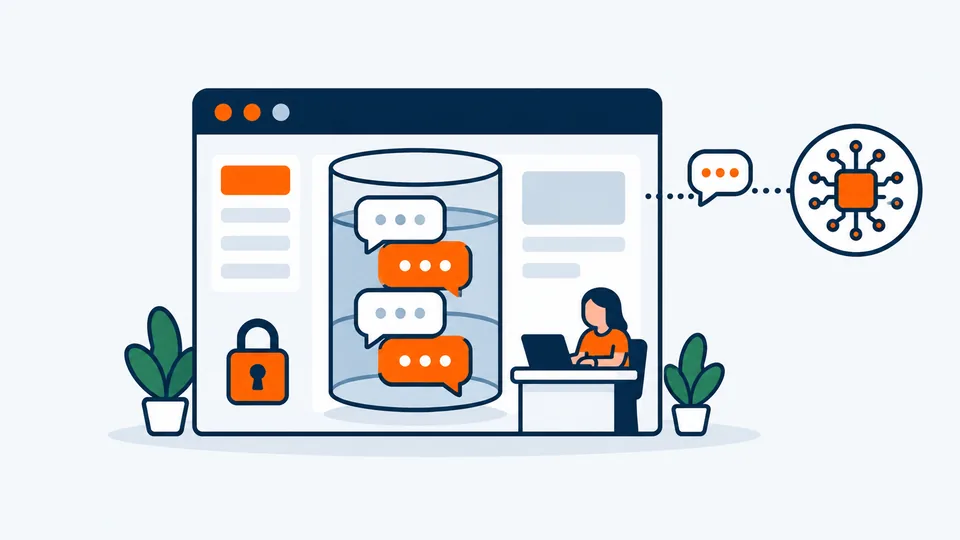
The chats are saved in your WordPress database. The AI still runs at an AI company, which sees each message it answers.
Sales Igniter Chat We make this one
Best for: WordPress sites that want live chat and an AI chatbot together, with the chats in their own database and no per-seat fees.
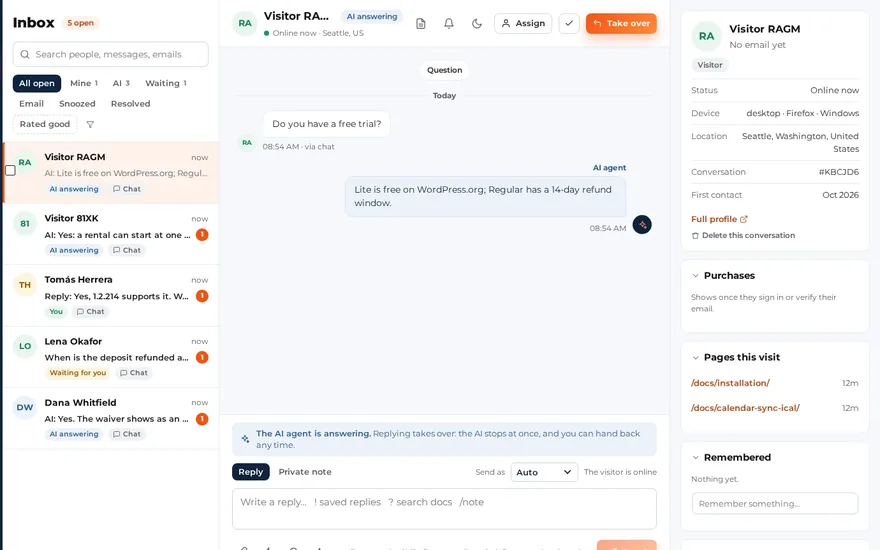
Live chat and an AI chatbot in one WordPress plugin: your team answers from a shared inbox in wp-admin, and the AI answers from your own pages, docs, products, other websites, files and short Answers you write.
- AIYour own AI key
- Chats storedYour WordPress database
- A person takes overYes: an inbox in wp-admin
- Free planNo free plan
- Paid$99 the first year, then $59 a year
- AI and answers
- Your own key, at your provider’s token price (DeepSeek V4.1 Flash by default, through OpenRouter). No per-chat fee from us; a monthly budget (US$20 by default) stops AI answers when it’s reached.
- Where chats are stored
- Conversations, people and the AI’s index stay in the plugin’s own tables in your WordPress database. When the AI answers, the conversation goes to the AI provider you chose, by default only to hosts that keep no data, with emails and phone numbers hidden.
- A person can take over
- Built in. The AI hands over for refunds, billing, an upset visitor or a question it can’t answer from your content, and a person takes over with one reply. A reply the visitor missed goes out by email.
- Free plan
- No free plan.
- Paid (checked October 2026)
- 1 site (live + staging): $99 the first year, then $59 a year. 10 sites: $299, then $149 a year. Every operator included, no per-seat fees.
- Watch out for
- There is no free plan, and the AI needs a key from an AI provider, which you pay directly.
- Pick another plugin if
- You want a free plan (Hyve Lite, MxChat or AI Engine), a bot that works without any AI (WPBot), or chats tied to the HubSpot CRM (HubSpot).
AI Engine
Best for: Developers and tinkerers who want full control of models and costs, and AI tools beyond the chatbot.
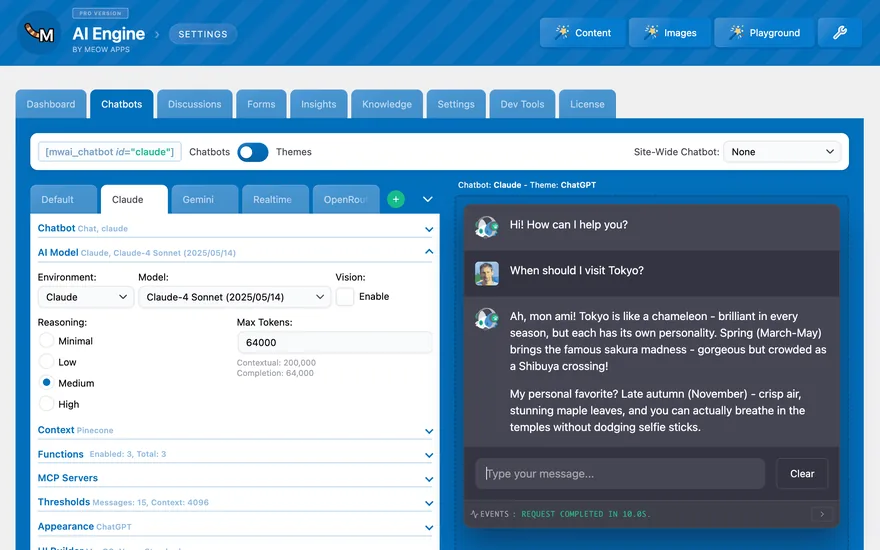
A WordPress AI toolkit: chatbots, AI forms, content and image tools, and an MCP server, all on your own AI keys.
- AIYour own AI keys
- Chats storedYour WordPress database
- A person takes overNo hand-over
- Free planFree plugin, your own key
- PaidPro from $79 a year
- AI and answers
- Your own keys only: OpenAI, Anthropic, Google, xAI, Mistral, Perplexity, OpenRouter, Azure or an OpenAI-compatible server. Pro adds embeddings of your posts, pages and PDFs so the bot answers from your content.
- Where chats are stored
- Chats are saved in your WordPress database. The knowledge base (embeddings) lives in the vector database you connect: Pinecone, Qdrant, Chroma or OpenAI.
- A person can take over
- No. There’s no live chat inbox or hand-over to a person.
- Free plan
- The free plugin has chatbots, a discussions list and conversation memory on your own key; you pay your AI provider.
- Paid (checked October 2026)
- AI Engine Pro: $79 a year for 1 website, $99 for 5, $179 for 20.
- Watch out for
- Answering from your own content needs Pro plus a vector database account, and nobody can take over a chat.
Hyve Lite
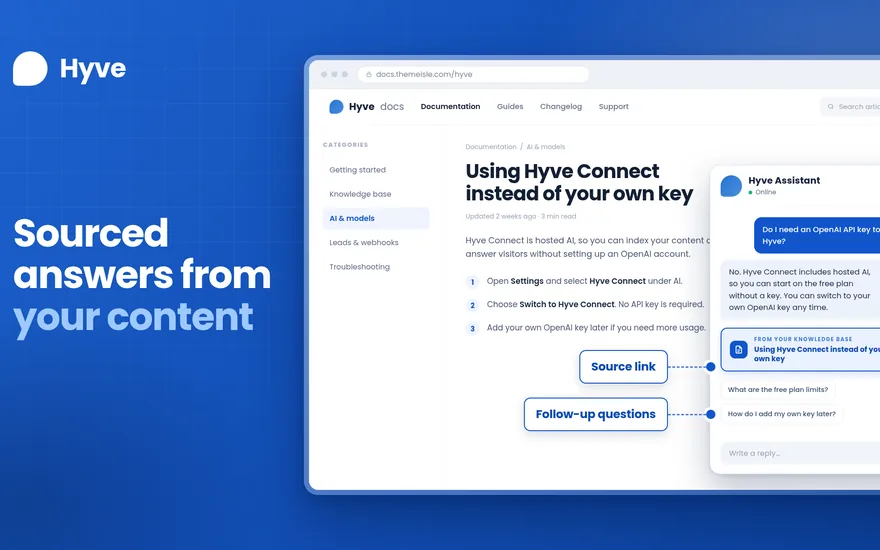
Best for: Content sites (blogs, docs, small stores) that want a free answer bot from their own pages without an AI key.
An AI chatbot that answers only from the posts, pages and products you pick.
- AIHosted AI or your own OpenAI key
- Chats storedYour WordPress database
- A person takes overNo (Pro: a contact form)
- Free plan500 AI messages a month
- PaidPro from $79 once
- AI and answers
- OpenAI models, through Themeisle’s hosted service (no key needed) or your own OpenAI key. It says so when the answer isn’t in your content. Pro adds files, crawled URLs and sitemaps.
- Where chats are stored
- The readme says conversations and leads stay in your WordPress database. With the hosted option, your indexed content and visitors’ messages go through Themeisle’s service to OpenAI.
- A person can take over
- No live chat. Pro can show a contact form when a visitor asks for a person.
- Free plan
- 500 hosted AI messages a month, or unlimited with your own OpenAI key; up to about 300 posts in the knowledge base, and only the last 3 conversations are shown.
- Paid (checked October 2026)
- Hyve Pro Personal: $79 once for 1 site, with 10,000 hosted AI messages a month. Growth $149 (5 sites), Agency $279 (50 sites).
- Watch out for
- Nobody can take over a chat, and the free version shows only the last 3 conversations.
MxChat
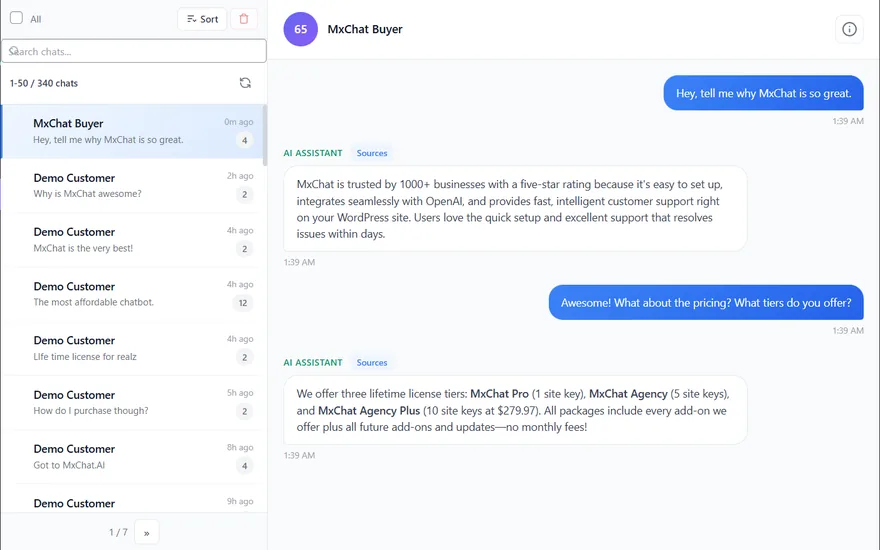
Best for: Budget-minded sites that want a self-hosted AI bot and a way to pass chats to a person in Slack.
A WordPress AI chatbot that answers from your site content, with a hand-off to a person in Slack.
- AIYour own AI keys
- Chats storedYour WordPress database
- A person takes overYes, in Slack
- Free planFree plugin, your own key
- PaidPro $69.97 once
- AI and answers
- Your own keys: OpenAI, Anthropic Claude, Google Gemini, xAI Grok, DeepSeek, OpenRouter or an OpenAI-compatible service. It learns from sitemaps, PDFs, URLs, videos, text you add and WooCommerce products.
- Where chats are stored
- The readme says all conversation data is stored on your WordPress site, with local vector storage in your database (Pinecone optional).
- A person can take over
- Through Slack: "Live Agent Handoff via Slack" is in the free plugin. There’s no inbox inside WordPress.
- Free plan
- The free plugin is described as fully functional on your own keys; you pay your AI provider.
- Paid (checked October 2026)
- MxChat Pro: $69.97 once (lifetime, 1 site) with every add-on; Agency $174.97.
- Watch out for
- People take over in Slack, not in a WordPress inbox.
AI Puffer (formerly AI Power)
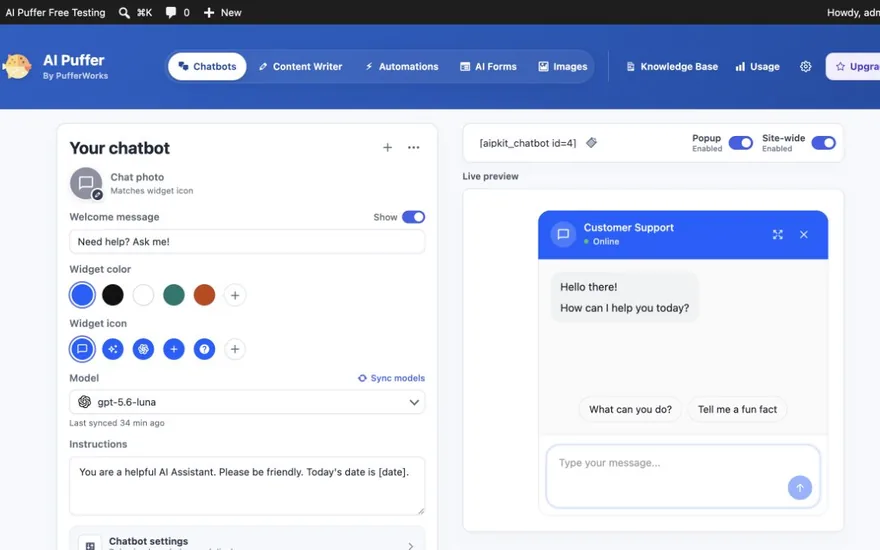
Best for: Site owners who want an AI chatbot plus AI writing and automation in one plugin.
An all-in-one AI plugin: chatbots, a content writer, automations, AI forms and images. It used to be called AI Power.
- AIYour own key or cloud credits
- Chats storedYour WordPress database
- A person takes overNo hand-over
- Free planOwn key, or 25 credits a month
- PaidPro from $9.99 a month
- AI and answers
- Your own key (OpenAI, Anthropic, Google, xAI, DeepSeek, OpenRouter, Azure) or AI Puffer Cloud credits. Chatbots answer from posts, pages, products, FAQs and text you add; paid plans add files, RSS, URLs and Google Sheets.
- Where chats are stored
- The readme says chat logs, usage records and local knowledge stay in your WordPress database. With an external vector store, or in Cloud mode, data also goes through those services.
- A person can take over
- No live chat or hand-over to a person.
- Free plan
- Free with your own key, or 25 AI Puffer Cloud credits a month for a verified account (credits are not messages).
- Paid (checked October 2026)
- Pro: $9.99 a month with 1,000 cloud credits; Pro Plus $14.99 (3,000 credits); Pro Max $29.99 (10,000 credits).
- Watch out for
- It’s a broad AI suite rather than a support tool, and a cloud credit isn’t one reply.
WPBot (ChatBot for WordPress)
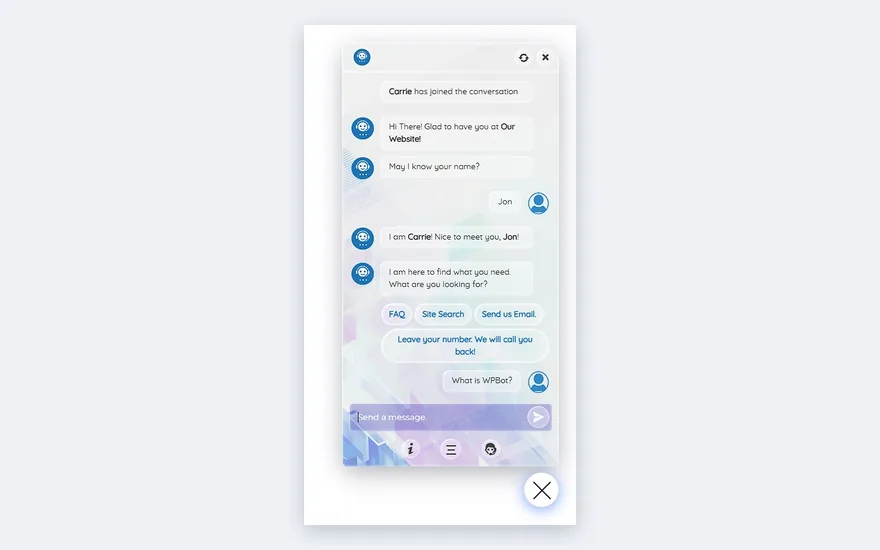
Best for: Sites that want a bot that also works without AI (menus, FAQ, forms) and keeps chat logs in WordPress.
A self-hosted chatbot that works on built-in menus, FAQ and forms, or on an AI service you connect. Pro adds more AI, forms, WooCommerce and channels.
- AINo AI needed, or your own key
- Chats storedYour WordPress database
- A person takes overSlack, Master licence only
- Free planFree plugin: menus, FAQ, forms
- PaidFrom $39 a year
- AI and answers
- Your own keys: the free version connects Dialogflow, Google Gemini and OpenRouter; Pro lists OpenAI, Gemini, Grok and OpenRouter. It answers from its responses and FAQ, site search, and embeddings of your pages and posts.
- Where chats are stored
- In your WordPress database: the plugin creates its own tables for chat sessions and conversations (from the plugin’s code; the vendor doesn’t say).
- A person can take over
- Only in the top Master licence: "Live (Human) Chat with Slack".
- Free plan
- The free plugin has built-in responses, FAQ, email and call-back forms, and AI through your own key.
- Paid (checked October 2026)
- Starter $39 a year (1 site), Professional $99 a year (2 sites), Master $189 a year (5 sites), the only plan with human chat.
- Watch out for
- Human chat is only in the $189 Master licence and runs through Slack.
4 services · chats on their servers
Hosted chat services with a WordPress plugin
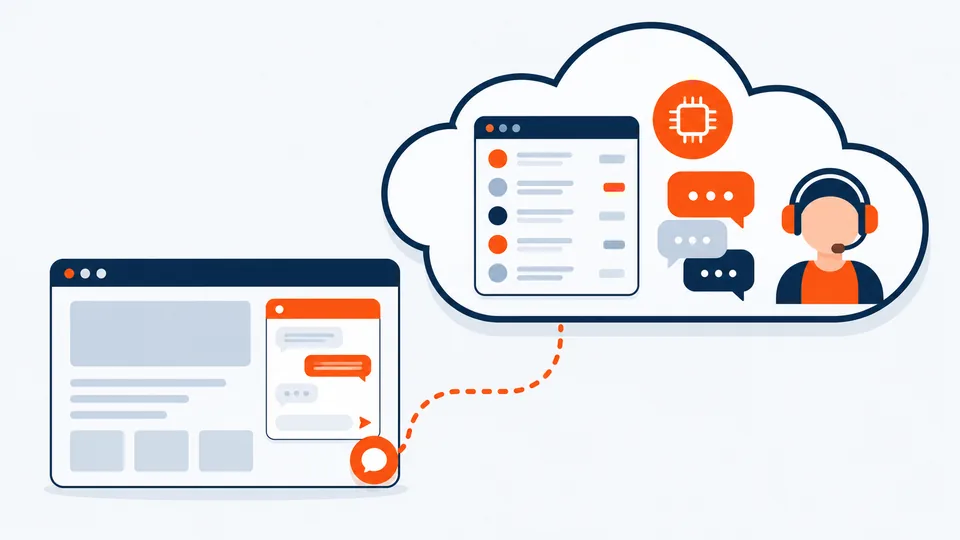
The WordPress plugin adds the chat widget to your site; the inbox, the AI and the chats live on the vendor’s servers.
Tidio
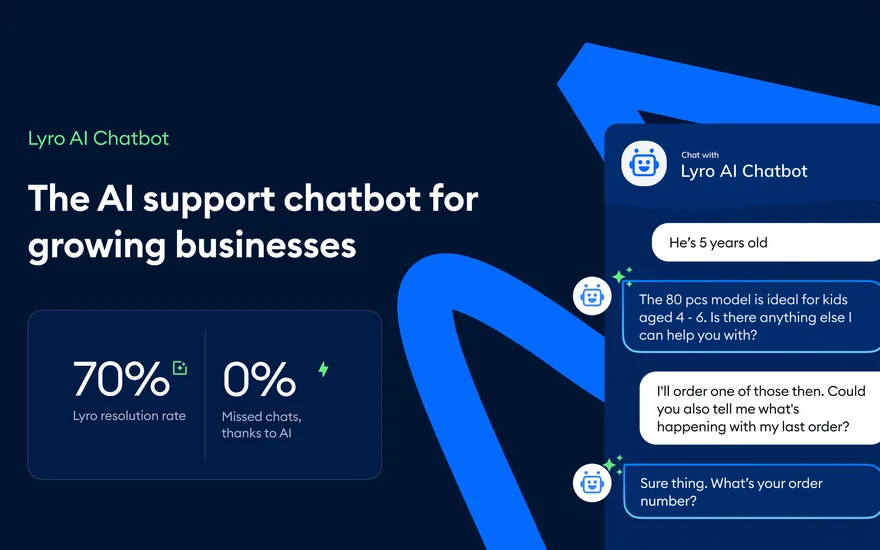
Best for: Stores and small teams that want a polished hosted inbox with AI and people in one place, and don’t mind a monthly subscription.
A hosted live chat, help desk and AI agent (Lyro). The WordPress plugin connects your site to a Tidio account and shows its chat widget.
- AILyro, a quota of AI conversations
- Chats storedTidio’s servers
- A person takes overYes: Tidio’s inbox
- Free plan50 AI conversations, once
- PaidLyro from $39 a month
- AI and answers
- Lyro, run by Tidio, which says it uses Claude (Anthropic) and its own models. It learns from your support content: a website scraper, FAQ uploads and Zendesk articles. AI is billed as a quota of Lyro conversations, not with your own key.
- Where chats are stored
- On Tidio’s servers, not in WordPress. Tidio’s privacy policy says it mainly processes data in the EEA, and some data may be transferred to the United States.
- A person can take over
- Yes. Every plan has a live chat inbox, and Lyro forwards a question to a person when the answer isn’t in your content.
- Free plan
- 10 seats and 50 conversations a month that a person answers; the first 50 Lyro AI conversations are free once ("lifetime"), not every month.
- Paid (checked October 2026)
- Lyro AI Agent from $39 a month for 50 AI conversations a month ($32.50 a month billed yearly); 100 conversations are $75 a month. Customer service plans are separate: Starter $29 a month, Growth from $59 a month.
- Watch out for
- The free AI allowance is 50 conversations once; after that the AI is billed per conversation, on top of any chat plan.
tawk.to with AI Assist
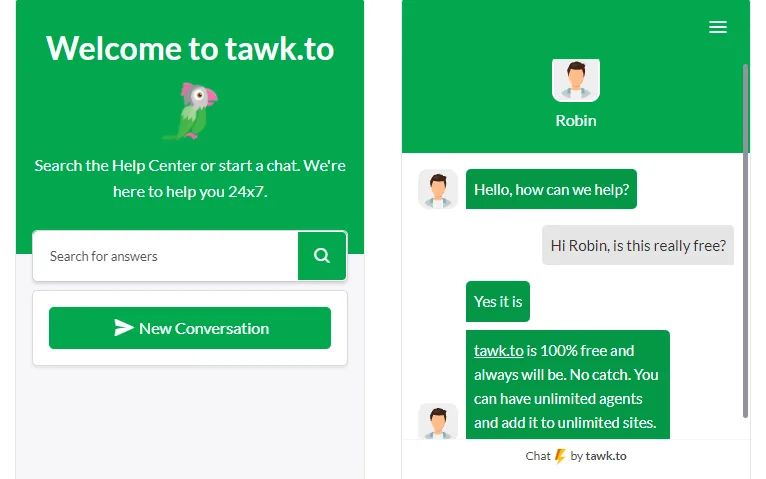
Best for: Teams that want free human live chat first and may add a small AI plan later.
A free hosted live chat. AI Assist is tawk.to’s AI agent, which answers from your data and can pass the chat to your team.
- AIAI Assist, message credits
- Chats storedtawk.to’s servers
- A person takes overYes: tawk.to’s inbox
- Free planFree live chat, 100 AI credits a month
- PaidAI Assist from $29 a month
- AI and answers
- tawk.to’s hosted AI (the pages we read don’t name the model company). It answers from FAQs, text, documents (PDF, CSV, TXT), knowledge base articles and websites. Billed in message credits per AI reply; the default model uses 3 credits a reply.
- Where chats are stored
- On tawk.to’s platform, not in WordPress. The AI Assist pages we read don’t say in which region.
- A person can take over
- Yes. Human live chat and agents are free; "escalations to human agents" is listed in AI Assist Growth.
- Free plan
- Live chat is free (removing the "Powered by tawk.to" branding is $29 a month). AI Assist Hobby is free with 100 message credits a month, about 33 AI replies on the default model.
- Paid (checked October 2026)
- AI Assist Growth: $29 a month or $290 a year, with 1,000 credits a month (about 333 replies on the default model). Business $99 a month. Extra credits $30 per 1,000.
- Watch out for
- AI credits are counted per reply and depend on the model; the WordPress plugin is tested only up to WordPress 6.9.
Smartsupp
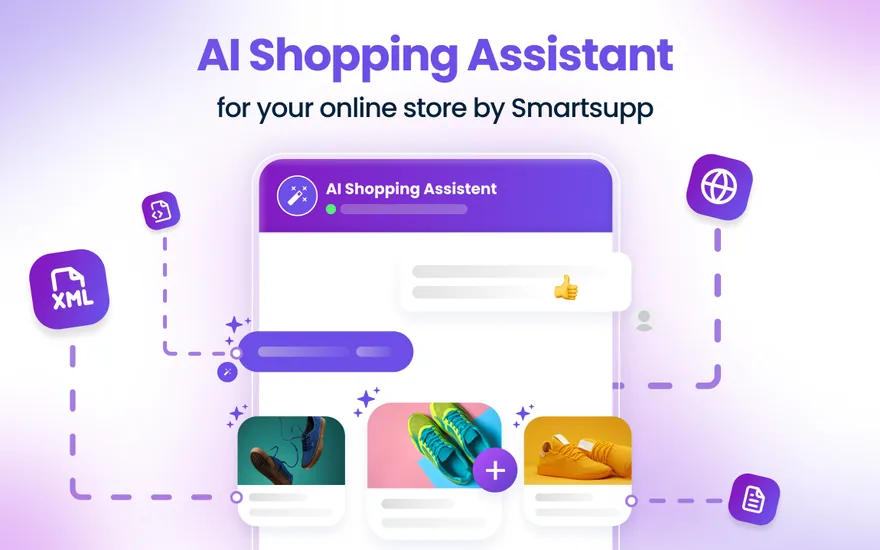
Best for: WooCommerce shops that want live chat and an AI shopping assistant that knows the product catalogue.
A hosted live chat for online stores with an AI shopping assistant, Mira. The WordPress plugin connects the widget.
- AIMira, per 100 AI conversations
- Chats storedSmartsupp’s servers
- A person takes overYes: Smartsupp’s inbox
- Free plan25 chats a month, no AI
- PaidMira from $20 a month
- AI and answers
- Mira, run by Smartsupp (the model company isn’t named on the pages we read). It learns from a website address you give it and from your product feed.
- Where chats are stored
- On Smartsupp’s servers: "primarily within the EU", with some data in the US and other countries (Smartsupp’s help centre).
- A person can take over
- Yes. Every plan has a live chat inbox, and Mira hands the chat to a person when the visitor asks or it lacks the information.
- Free plan
- 1 operator, 25 conversations a month and 14 days of history, with WhatsApp and Messenger. The Mira AI agent is a paid add-on.
- Paid (checked October 2026)
- Mira AI Agent: $20 a month per 100 AI conversations ($16 billed yearly), up to 5,000 a month. Chat plans: Solo $24 a month (1 operator), Plus $35 a month (3 operators).
- Watch out for
- The free plan stops at 25 conversations a month, and the AI is billed per 100 conversations on top of any chat plan.
HubSpot
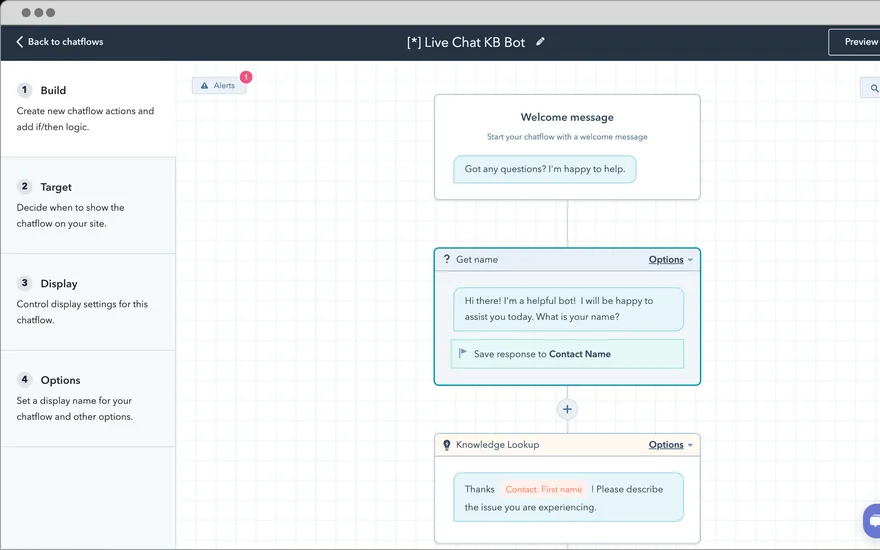
Best for: Businesses already on the HubSpot CRM that want the chatbot tied to contacts, tickets and marketing.
HubSpot’s all-in-one WordPress plugin: forms, pop-ups, live chat and the HubSpot CRM. The AI Customer Agent is a paid add-on on Professional and Enterprise plans.
- AI$0.50 per resolved AI conversation
- Chats storedHubSpot’s servers
- A person takes overYes: the HubSpot inbox
- Free planFree live chat, no AI agent
- PaidService Hub Pro: $90 a seat a month, yearly
- AI and answers
- HubSpot’s Customer Agent (the model company isn’t named on the pages we read). It learns from your HubSpot knowledge base, website pages, public URLs, uploaded files and short answers. It costs 50 HubSpot Credits ($0.50) per resolved conversation.
- Where chats are stored
- On HubSpot’s servers, not in WordPress: in the US, Canada, Australia or the EU; free accounts get a US data centre.
- A person can take over
- Yes. Live chat with the HubSpot inbox is in the free tools, and the Customer Agent escalates when a person is needed.
- Free plan
- Free HubSpot tools: live chat (with HubSpot branding) and bots with limited features. No AI Customer Agent.
- Paid (checked October 2026)
- The Customer Agent needs a Professional or Enterprise hub. Service Hub Professional: $90 a seat a month billed yearly ($100 monthly) plus a one-time $1,500 onboarding fee, with 3,000 credits a month (about 60 resolved AI conversations).
- Watch out for
- AI answers need a Professional plan, then cost $0.50 per resolved conversation; the free bot is limited.
Free plans
Free WordPress chatbot plugins: what you really get
“Free” means different things. Some plugins are free but need your own AI key, so you pay an AI company for every answer; others include a small number of AI conversations.

Hyve LiteAI messages included
500 hosted AI messages a month, or unlimited with your own OpenAI key; up to about 300 posts in the knowledge base, and only the last 3 conversations are shown.
MxChatYour own AI key
The free plugin is described as fully functional on your own keys; you pay your AI provider.
AI EngineYour own AI key
The free plugin has chatbots, a discussions list and conversation memory on your own key; you pay your AI provider.
AI Puffer (formerly AI Power)Own key or cloud credits
Free with your own key, or 25 AI Puffer Cloud credits a month for a verified account (credits are not messages).
WPBot (ChatBot for WordPress)No AI needed, or your own key
The free plugin has built-in responses, FAQ, email and call-back forms, and AI through your own key.
tawk.to with AI AssistSome AI included
Live chat is free (removing the "Powered by tawk.to" branding is $29 a month). AI Assist Hobby is free with 100 message credits a month, about 33 AI replies on the default model.
Tidio50 AI conversations, once
10 seats and 50 conversations a month that a person answers; the first 50 Lyro AI conversations are free once ("lifetime"), not every month.
SmartsuppAI is a paid add-on
1 operator, 25 conversations a month and 14 days of history, with WhatsApp and Messenger. The Mira AI agent is a paid add-on.
HubSpotNo AI agent on the free plan
Free HubSpot tools: live chat (with HubSpot branding) and bots with limited features. No AI Customer Agent.
Sales Igniter Chat (ours)No free plan
No free plan. US$99 the first year for one site, then US$59 a year.
How to choose
How to choose the best AI chatbot for your website
Six questions that narrow the list quickly. Want to see how Sales Igniter Chat answers? Read about the AI chatbot or browse every feature.

Does a person need to take over?
Yes, from an inbox in wp-adminSales Igniter Chat (ours)
Yes, and Slack is fineMxChatWPBot (Master licence)
No: free, with no AI keyHyve Lite
No: full control of the AI modelsAI Engine
No: AI writing tools tooAI Puffer
No: a bot that works without AIWPBot
- 1
Where should the chats live?
Plugins that run inside WordPress save conversations in your own database; hosted services keep them on their servers. If you need the chats on your own server, start with the first group.
- 2
What may the AI answer from?
A support bot should answer from your own pages, docs and products, show where an answer came from, and say so when it doesn’t know. Check what each plugin reads in the Answers from column.
- 3
Does a person need to take over?
If customers ask about orders, refunds or bookings, someone has to step in. Tidio, tawk.to, Smartsupp, HubSpot and Sales Igniter Chat have an inbox where a person takes over. MxChat and WPBot hand over in Slack; AI Engine, AI Puffer and Hyve Lite have no live hand-over.
- 4
How is the AI billed?
With your own key you pay the AI company’s token price: an AI chat on our own site has cost about $0.0019. Quotas cost more per chat: Tidio’s Lyro is $39 for 50 conversations (about $0.78 each), and HubSpot charges $0.50 per resolved conversation on top of a Professional plan.
- 5
What does the free plan stop at?
Read the limits before you build on a free plan: Tidio’s 50 free AI conversations come once, not every month, Smartsupp’s free plan stops at 25 conversations a month, and Hyve Lite shows only the last 3 conversations. See the free plans.
- 6
Is it kept up to date?
On wordpress.org, check when the plugin was last updated and which WordPress version it’s tested with. Each plugin’s line in the table shows both.
Questions about WordPress chatbots
What is the best WordPress chatbot plugin?
It depends on the job. For a free bot that answers from your own pages, Hyve Lite (no AI key needed) or MxChat (your own key, with a hand-over in Slack). For control over AI models, AI Engine. For a hosted inbox with AI, Tidio. For free human live chat, tawk.to. On the HubSpot CRM, HubSpot. For live chat and an AI chatbot in one plugin, with the chats in your WordPress database, Sales Igniter Chat, which we make. The comparison table has the details.
Is there a free WordPress chatbot?
Yes. Hyve Lite includes 500 hosted AI messages a month, or unlimited with your own OpenAI key. AI Engine, AI Puffer, MxChat and WPBot are free plugins that use your own AI key, so you pay only the AI company. tawk.to’s live chat is free with 100 AI credits a month (about 33 AI replies), and Tidio’s free plan includes 50 AI conversations once. Sales Igniter Chat has no free plan. More in the free plans.
What is the best AI chatbot for a website?
One that answers only from your own content, shows where an answer came from, says when it doesn’t know, and lets a person take over when a customer needs one. Then pick by where the chats should be stored and how you want the AI billed. See how to choose.
Do WordPress chatbot plugins keep the chats on my site?
The plugins that run inside WordPress (AI Engine, AI Puffer, Hyve Lite, MxChat, WPBot and Sales Igniter Chat) save conversations in your WordPress database; the AI company still sees each message the bot answers. Tidio, tawk.to, Smartsupp and HubSpot are hosted services: their WordPress plugin adds the widget, and the chats are stored on their servers.
Can a WordPress chatbot hand the chat to a person?
Tidio, tawk.to (on AI Assist Growth), Smartsupp, HubSpot and Sales Igniter Chat have an inbox where a person takes over. MxChat hands over in Slack, and WPBot does so in Slack with its Master licence. AI Engine, AI Puffer and Hyve Lite have no live hand-over; Hyve Pro can show a contact form.
How much does an AI chatbot cost per conversation?
With your own key you pay the AI company’s token price: on our own site an AI chat with Sales Igniter Chat has cost about $0.0019. Plans with a quota cost more per conversation: Tidio’s Lyro is $39 a month for 50 (about $0.78 each), Smartsupp’s Mira is $20 a month per 100 (about $0.20 each), and HubSpot charges $0.50 per resolved conversation on top of a Professional plan.
Do I need an OpenAI key for a WordPress chatbot?
Not always. Hyve Lite’s hosted option and the hosted services (Tidio, tawk.to, Smartsupp and HubSpot) include the AI. AI Engine, MxChat, WPBot and Sales Igniter Chat use a key from an AI company; Sales Igniter Chat works with OpenRouter, Anthropic, OpenAI, Google or any OpenAI-compatible service. AI Puffer takes your own key or its own cloud credits.
How did you pick and check these plugins?
We chose WordPress chatbot plugins that are kept up to date on wordpress.org and publish their prices, plus the hosted chat services with a WordPress plugin that people compare most. Every fact comes from the vendor’s own pricing page, docs or readme and the wordpress.org listing, checked October 2026, with the links under Sources. Chatbase is left out because its WordPress plugin was last updated in March 2025.
Do you make one of these plugins?
Yes, we make Sales Igniter Chat. It’s on this list with the same kind of facts as the others, and the picks and each plugin’s "Best for" line say where another plugin suits you better.
Is Sales Igniter Chat on wordpress.org?
No. Sales Igniter Chat is sold on rentalbookingsoftware.com: US$99 for one site (live + staging) for the first year, then US$59 a year; US$299 for 10 sites, then US$149 a year. Every operator is included, and the AI is billed by your own AI provider. See every feature or the install guide.
Sources
Each plugin’s facts come only from its own pages and its wordpress.org listing, checked October 2026; Sales Igniter Chat‘s from its documentation. Prices are list prices in US$, billed monthly unless marked otherwise, and change often: check the vendor’s page before you buy.
- AI Engine: Meow Apps: AI Engine, Meow Apps: AI Engine Pro prices, wordpress.org: AI Engine
- Hyve Lite: Themeisle: Hyve pricing, wordpress.org: Hyve Lite
- MxChat: MxChat Pro, wordpress.org: MxChat
- AI Puffer (formerly AI Power): AI Puffer pricing, wordpress.org: AI Puffer
- WPBot (ChatBot for WordPress): WPBot Pro pricing, wordpress.org: WPBot
- Tidio: Tidio pricing, Tidio: Lyro, Tidio privacy policy, wordpress.org: Tidio
- tawk.to with AI Assist: tawk.to: billing for AI Assist, tawk.to: AI Assist message credits, tawk.to: AI Assist overview, wordpress.org: tawk.to
- Smartsupp: Smartsupp pricing, Smartsupp: Mira AI shopping assistant, Smartsupp help: data privacy and GDPR, wordpress.org: Smartsupp
- HubSpot: HubSpot Service Hub pricing, HubSpot: Customer Agent priced per resolved conversation, HubSpot marketplace: Customer Agent, wordpress.org: HubSpot
- Sales Igniter Chat: every feature, the AI chatbot, the docs and pricing
Pictures
The picture on each plugin’s card comes from its wordpress.org listing, where its maker publishes it; the caption links to the listing. Sales Igniter Chat‘s is our own screenshot, with made-up names. The illustrations were made for this page.
More comparisons
Sales Igniter Chat next to the hosted live chat services, one page each.
Try Sales Igniter Chat on your own WordPress site
Live chat and an AI chatbot that answers from your own pages, with a shared inbox in wp-admin. Your conversations stay in your WordPress database.